Stop guessing coordinates. Find exact X/Y in PDFs visually.
Free tool for developers working with pdf-lib, jsPDF, PDFKit and Flutter PDF
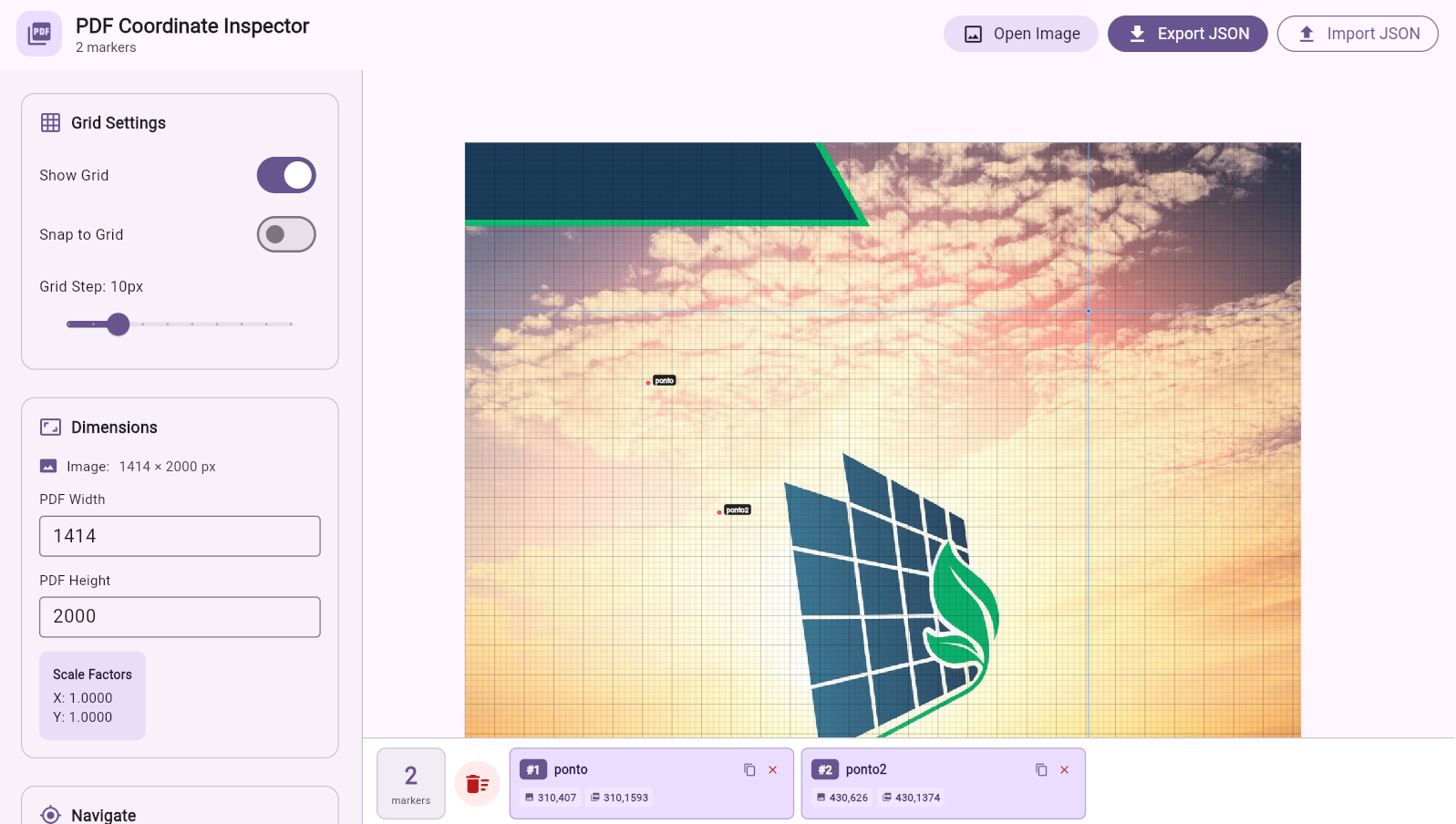
Free tool for developers working with pdf-lib, jsPDF, PDFKit and Flutter PDF
Every dev who works with PDFs has been through this:
Adjust X/Y values dozens of times until it aligns
Debug → Generate PDF → Open → Adjust → Repeat 50x
Hours on something that should take minutes
Calculate conversion of inverted coordinate systems
Drag your PDF screenshot into the tool
Click on points where you want to position text, images or fields
Copy X/Y coordinates ready to paste into your code
Hover over the PDF and see X/Y in real-time. That simple.
Adjustable guides and snap for millimeter-precise positioning.
Save all marked points in JSON ready to use in your code.
Works with pdf-lib, jsPDF, PDFKit and Flutter PDF.
Runs directly in the browser. No downloads, no setup.
Open source, no login, no paywall. Use freely.
Compare before and after using The Father's Ruler:
// Attempt 1
page.drawText("Name", {
  x: 100,
  y: 400
}); // not aligning...

// Attempt 2
page.drawText("Name", {
  x: 120,
  y: 380
}); // still wrong

// Attempt 3
page.drawText("Name", {
  x: 152,
  y: 473
}); // finally! 😭// First try! 🎯
page.drawText("Name", {
x: 152,
y: 473
});
// Additional fields
page.drawText("Email", {
x: 152,
y: 445
});
page.drawText("Phone", {
x: 152,
y: 417
});Generating automated certificates and reports
Filling PDF forms dynamically
Working with document templates
Building SaaS tools with PDFs
Yes! 100% free and open source under MIT license. Use commercially without restrictions.
No. The tool runs completely in your browser. No downloads, no installation.
Yes! Coordinates are universal and work with pdf-lib, jsPDF, PDFKit, Flutter PDF and any other.
No. All processing is done locally in your browser. Your files never leave your computer.
Yes! MIT license allows commercial use without restrictions. Just credit the author.
Open source on GitHub. Contributions are welcome!